CLAP - Cognitive Layer Agent Package
- agent-framework
Powerful Asynchronous Multi agent framework built from scratch in python supporting RAG and MCP compatibilities.
About
What is CLAP - Cognitive Layer Agent Package?
CLAP is a Python framework for building sophisticated AI agents using modern agentic patterns (ReAct, Tool, Multi-Agent). It runs on Python 3.10+ and is built for developers who need modular, async‑capable agent workflows with integrated RAG and external tool support.
How to use CLAP - Cognitive Layer Agent Package?
Install via pip install clap-agents (optional extras for Qdrant, ChromaDB, Ollama). Write async Python code using provided agent classes (ToolAgent, ReactAgent, Agent), configure an LLM backend (Groq, Gemini, Ollama), and optionally connect to MCP servers or define custom tools with the @tool decorator.
Key features of CLAP - Cognitive Layer Agent Package
- Modular agent patterns: ReAct, Tool, and Multi-Agent Teams.
- Advanced tool integration: local Python functions and remote MCP tools (SSE).
- Pluggable LLM backends: Groq, Google Gemini, Ollama (local).
- Built‑in RAG: VectorStoreInterface for ChromaDB and Qdrant.
- Embedding wrappers: Sentence‑Transformers, Ollama, FastEmbed.
- Asynchronous core (asyncio) for efficient I/O.
- Strict tool argument validation and type coercion via jsonschema.
Use cases of CLAP - Cognitive Layer Agent Package
- Complex reasoning tasks: ReAct agent with thought‑prompting and native tool calling.
- Single‑step tool usage: Tool agent for simple function invocation or RAG.
- Collaborative task execution: Multi‑agent teams with sequential or parallel workflows.
- Retrieval‑Augmented Generation: Agents that query vector stores before responding.
- Integration with external systems: Connect to MCP servers to expose remote tools.
FAQ from CLAP - Cognitive Layer Agent Package
What does CLAP do that other agent frameworks don’t?
CLAP provides a modular, async‑native Python framework with built‑in RAG abstractions, pluggable LLM backends, and first‑class support for both local tools and remote MCP tools.
Which LLMs and platforms are supported?
Groq, Google Gemini (via OpenAI compatibility layer), and locally‑run Ollama models. The architecture is extensible to other providers.
How does MCP server integration work?
The MCPClientManager allows agents to discover and call tools exposed by MCP servers. Currently only SSE transport is supported.
Is CLAP free and open source?
Yes, it is licensed under Apache 2.0. No pricing or license restrictions beyond the license terms.
Are there any known limitations?
Performance for very large batch ingestions via the async FastEmbed wrapper may vary based on CPU. The project is actively developed; documentation and examples are provided.
Details
- Author
- maitreyam
- GitHub stars
- 4
- Category
- agent-framework
- Repository
- maitreyam/clap-agents
<p align="center">

</p>
CLAP - Cognitive Layer Agent Package



CLAP (Cognitive Layer Agent Package) is a Python framework providing building blocks for creating sophisticated AI agents based on modern agentic patterns. It enables developers to easily construct agents capable of reasoning, planning, and interacting with external tools, systems, and knowledge bases.
Built with an asynchronous core (asyncio), CLAP offers flexibility and performance for complex agentic workflows.
<p align="center">
 <!-- Updated alt text -->
</p>
Key Features
Modular Agent Patterns:
ReAct Agent: Implements the Reason-Act loop with robust thought-prompting and native tool calling. Ideal for complex reasoning and RAG.
Tool Agent: A straightforward agent for single-step tool usage, including simple RAG.
Multi-Agent Teams: Define teams of specialized agents with dependencies, enabling collaborative task execution (sequential or parallel).
Advanced Tool Integration:
Native LLM Tool Calling: Leverages modern LLM APIs for reliable tool execution.
Local Tools: Easily define and use local Python functions (both synchronous and asynchronous) as tools using the @tool decorator.
Remote Tools (MCP): Integrates with Model Context Protocol (MCP) servers via the included MCPClientManager, allowing agents to discover and use tools exposed by external systems (currently supports SSE transport).
Robust Validation & Coercion: Uses jsonschema for strict validation of tool arguments and attempts type coercion for common LLM outputs (e.g., string numbers to integers).
Retrieval Augmented Generation (RAG) Capabilities:
VectorStoreInterface: An abstraction for interacting with various vector databases.
Supported Vector Stores:
ChromaDB: (ChromaStore) For local or self-hosted vector storage.
Qdrant: (QdrantStore) For local (in-memory or file-based) vector storage.
EmbeddingFunctionInterface: A protocol for consistent interaction with different embedding models.
Supported Embedding Function Wrappers:
SentenceTransformerEmbeddings: Uses models from the sentence-transformers library.
OllamaEmbeddings: Generates embeddings using models running locally via Ollama.
FastEmbedEmbeddings: Utilizes the fastembed library for CPU-optimized embeddings. (Note: Performance for very large batch ingestions via the async wrapper might vary based on CPU and may be slower than SentenceTransformers for initial bulk loads.)
RAG-Aware Agents: Both Agent (via ReactAgent) and ToolAgent can be equipped with a vector_store to perform vector_query tool calls, enabling them to retrieve context before responding.
Utilities: Includes basic PDF and CSV text loaders and chunking strategies in clap.utils.rag_utils.
Pluggable LLM Backends:
Uses a Strategy Pattern (LLMServiceInterface) to abstract LLM interactions.
Includes ready-to-use service implementations for:
Groq: (GroqService)
Google Generative AI (Gemini): (GoogleOpenAICompatService via OpenAI compatibility layer)
Ollama (Local LLMs): (OllamaOpenAICompatService also known as OllamaService via OpenAI compatibility layer, allowing use of locally run models like Llama 3, Mistral, etc.)
Easily extensible to support other LLM providers.
Asynchronous Core: Built entirely on asyncio for efficient I/O operations and potential concurrency.
Structured Context Passing: Enables clear and organized information flow between agents in a team.
- Built-in Tools: Includes helpers for web search (
duckduckgo_search). More available via optional dependencies.
Installation
Ensure you have Python 3.10 or later installed.
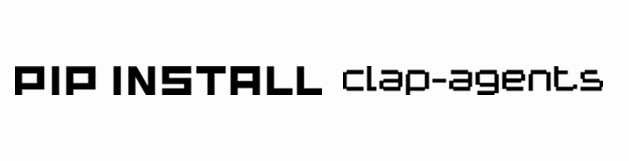
pip install clap-agents
Ensure you have Python 3.10 or later installed.
pip install clap-agents
To use specific features, you might need to install optional dependencies:

For Qdrant support (includes fastembed)

pip install "clap-agents[qdrant]"
For ChromaDB support
pip install "clap-agents[chromadb]"
For Ollama (LLM and/or Embeddings)
pip install "clap-agents[ollama]"
For other tools like web crawling or visualization
pip install "clap-agents[standard_tools,viz]"
To install all major optional dependencies
pip install "clap-agents[all]"
Check the pyproject.toml for the full list of [project.optional-dependencies]. You will also need to have external services like Ollama or Qdrant (if used locally) running.
Depending on the tools or LLM backends you intend to use, you might need additional dependencies listed in the pyproject.toml (e.g., groq, openai, mcp, jsonschema, requests, duckduckgo-search, graphviz). Check the [project.dependencies] and [project.optional-dependencies] sections.
Quick Start: Simple Tool calling Agent with a Local Tool
This example demonstrates creating a Tool calling agent using the Groq backend and a local toolfrom dotenv import load_dotenv
from clap import ToolAgent
from clap import duckduckgo_search
load_dotenv()
async def main():
agent = ToolAgent(tools=duckduckgo_search, model="meta-llama/llama-4-scout-17b-16e-instruct")
user_query = "Search the web for recent news about AI advancements."
response = await agent.run(user_msg=user_query)
print(f"Response:\n{response}")
asyncio.run(main())
Quick Start: Simple ReAct Agent with a Local Tool
This example demonstrates creating a ReAct agent using the Groq backend and a local tool.import asyncio
import os
from dotenv import load_dotenv
from clap import ReactAgent, tool, GroqService
load_dotenv()
@tool
def get_word_length(word: str) -> int:
"""Calculates the length of a word."""
print(f"[Local Tool] Calculating length of: {word}")
return len(word)
async def main():
groq_service = GroqService() # Your service of choice (either groq or Google)
agent = ReactAgent(
llm_service=groq_service,
model="llama-3.3-70b-versatile", # Or another Groq model
tools=[get_word_length], # Provide the local tool
# system_prompt="You are a helpful assistant." # Optional base prompt
)
user_query = "How many letters are in the word 'framework'?"
response = await agent.run(user_msg=user_query)
print(response)
asyncio.run(main())
Quick Start: Simple Tool-Calling Agent with Ollama
This example demonstrates a ToolAgent using a local Ollama model and a local tool. Ensure Ollama is running and you have pulled the model (e.g., ollama pull llama3).import asyncio
from dotenv import load_dotenv
from clap import ToolAgent, tool, OllamaService # Assuming OllamaService is your OllamaOpenAICompatService
load_dotenv()
@tool
def get_capital(country: str) -> str:
"""Returns the capital of a country."""
if country.lower() == "france": return "Paris"
return f"I don't know the capital of {country}."
async def main():
# Initialize the Ollama service
ollama_llm_service = OllamaService(default_model="llama3") # Specify your Ollama model
agent = ToolAgent(
llm_service=ollama_llm_service,
model="llama3", # Model name for this agent
tools=[get_capital]
)
user_query = "What is the capital of France?"
response = await agent.run(user_msg=user_query)
print(f"Query: {user_query}\nResponse:\n{response}")
await ollama_llm_service.close() # Important for OllamaService
if __name__ == "__main__":
asyncio.run(main())
Quick Start: RAG Agent with Qdrant and Ollama Embeddings
This example shows an Agent performing RAG using Ollama for embeddings and Qdrant as the vector store. Ensure Ollama is running (with nomic-embed-text and llama3 pulled) and Qdrant is running (e.g., via Docker).import asyncio
import os
import shutil
from dotenv import load_dotenv
from clap import Agent, QdrantStore, OllamaEmbeddings, OllamaService
from clap.utils.rag_utils import chunk_text_by_fixed_size
from qdrant_client import models as qdrant_models # If needed for distance
load_dotenv()
OLLAMA_HOST = "http://localhost:11434"
EMBED_MODEL = "nomic-embed-text"
LLM_MODEL = "llama3"
DB_PATH = "./temp_rag_db_ollama_qdrant"
COLLECTION = "my_rag_docs"
async def main():
if os.path.exists(DB_PATH): shutil.rmtree(DB_PATH)
ollama_ef = OllamaEmbeddings(model_name=EMBED_MODEL, ollama_host=OLLAMA_HOST)
vector_store = await QdrantStore.create(
collection_name=COLLECTION,
embedding_function=ollama_ef,
path=DB_PATH, # For local file-based Qdrant
recreate_collection_if_exists=True
)
sample_texts = ["The sky is blue due to Rayleigh scattering.", "Large language models are powerful."]
chunks = [chunk for text in sample_texts for chunk in chunk_text_by_fixed_size(text, 100, 10)]
ids = [str(i) for i in range(len(chunks))] # Qdrant needs UUIDs; QdrantStore handles this
if chunks:
await vector_store.add_documents(documents=chunks, ids=ids)
print(f"Ingested {len(chunks)} chunks.")
ollama_llm_service = OllamaService(default_model=LLM_MODEL, base_url=f"{OLLAMA_HOST}/v1")
rag_agent = Agent(
name="RAGMaster",
backstory="I answer questions using provided documents.",
task_description="Why is the sky blue according to the documents?", # This becomes the User Query
llm_service=ollama_llm_service,
model=LLM_MODEL,
vector_store=vector_store
)
response = await rag_agent.run()
print(f"Query: {rag_agent.task_description}\nResponse:\n{response.get('output')}")
await vector_store.close()
await ollama_llm_service.close()
if os.path.exists(DB_PATH): shutil.rmtree(DB_PATH)
asyncio.run(main())
Exploring Further
Multi-Agent Teams: See examples/test_clap_comprehensive_suite.py and other team examples for setting up sequential or parallel agent workflows.
MCP Integration: Check examples/test_clap_comprehensive_suite.py (ensure corresponding MCP servers from examples/simple_mcp.py etc. are running).
Other LLM Services (Groq, Google Gemini , Ollama): Modify the Quick Starts to use GroqService or GoogleOpenAICompatService (ensure API keys are set).
Different Vector Stores & Embedding Functions: Experiment with ChromaStore, QdrantStore, SentenceTransformerEmbeddings, FastEmbedEmbeddings, and OllamaEmbeddings as shown in the comprehensive test suite.
License
This project is licensed under the terms of the Apache License 2.0. See the LICENSE file for details.